GDRFA Login In Dubai 2026: Complete Guide To Registration, Visa Services, Fine Check And Online Process

GDRFA Login In Dubai 2026. GDRFA Login is an important online system used in Dubai for managing visa, residency, entry permits, fines, and immigration services. It is provided by GDRFA Dubai, which is responsible for handling all residency and foreign affairs services in Dubai.
Through the GDRFA smart portal, users can access services online without visiting offices. This system saves time, reduces paperwork, and allows fast digital processing for residents, visitors, and companies.
What is GDRFA Dubai?
GDRFA Dubai is a government authority that manages immigration and residency affairs. It ensures smooth entry, stay, and exit of foreigners in Dubai.
Main responsibilities of GDRFA include:
- Issuing entry permits
- Managing residency visas
- Handling visa cancellations and renewals
- Tracking entry and exit records
- Managing immigration fines
- Providing legal immigration services
- Supporting companies and establishments
It also provides smart services such as:
- Online residency updates
- Visa status check
- Application tracking
- Unified number inquiry
GDRFA Login Overview
The GDRFA login system allows users to:
- Access visa services
- Track applications
- Pay fines
- Check residency status
- Manage entry and exit records
- Use smart immigration services
You can log in using:
- Username and password
- UAE PASS authentication
- Mobile app login
UAE PASS is also widely used for secure login.
How To Register for GDRFA Account
If you are a new user, you must register before using services. Follow these simple steps:
Step 1: Open GDRFA Mobile App
Download and open the official GDRFA smart app.
Step 2: Select Language
Choose your preferred language (English or Arabic).
Step 3: Choose User Type
Click on:
- Individual (for personal use)
- Establishment (for companies)
Step 4: Select Status
Select your status:
- Citizen
- Resident
Step 5: Enter Details
Provide:

- Emirates ID
- Date of birth
- Mobile number
Step 6: Submit Information
Click on submit and proceed.
Step 7: OTP Verification
You will receive an SMS with a verification code.
Step 8: Enter Code
Enter the OTP and verify your account.
Step 9: Create Login Details
Now create:
- Username
- Password
Step 10: Complete Registration
Click submit and your account is ready.
You can now log in and use all GDRFA services.
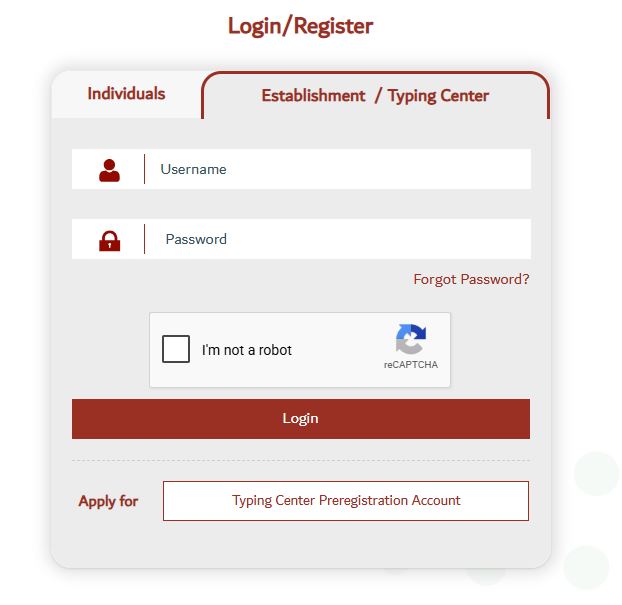
How to Login to GDRFA Portal
You can access the official login page here:
Step 1: Visit Official Website
Open the GDRFA smart portal.
Step 2: Select Login Type
Choose:
- Individual
- Establishment
Step 3: Enter Credentials
Enter:
- Username
- Password
Step 4: UAE PASS Option
Or click:
- Login via UAE PASS
Step 5: OTP Verification
Complete OTP verification if required.

Step 6: Access Dashboard
Click login and enter your account dashboard.
How To Check Fines on GDRFA Login
You can easily check immigration fines online.
- Visit GDRFA website
- Go to “Fines & Penalties” section
- Enter:
- Passport number OR visa number
- Click search
- View your fine details
This service helps users quickly check overstay or visa violation penalties.
Services Available After GDRFA Login
Once you log in, many services become available.
1. Visa Services
You can:
- Apply for tourist visa
- Issue visit visa
- Extend visa duration
- Cancel visa
- Check visa validity
2. Residency Services
You can:
- Apply for residency visa
- Renew residency permit
- Cancel residency visa
- Track application status
3. Entry and Exit Records
You can request:
- Travel history
- Entry/exit movement report
4. Fine Inquiry & Payments
Users can:
- Check fines
- Pay penalties online
- Clear overstay charges
5. Smart Gate Registration
Travelers can register for Smart Gates at Dubai airports for faster immigration clearance using biometric systems.
6. Establishment Services
Companies can manage:
- Employee visas
- Work permits
- Immigration files
Benefits of GDRFA Login System
Using GDRFA online portal provides many benefits:
1. 24/7 Access
You can use services anytime, anywhere.

2. Fast Processing
Online applications are processed faster than manual ones.
3. Secure System
With UAE PASS authentication, your data stays safe.
4. No Paperwork
Everything is digital, no need for physical documents.
5. Easy Tracking
You can track visa and application status in real-time.
6. One Platform
All immigration services are available in one place.
Common GDRFA Login Problems & Solutions
Sometimes users face login issues. Here are common problems:
Wrong Username or Password
Solution:
- Double check credentials
- Reset password if needed
Forgot Password
Solution:
- Click “Forgot Password”
- Reset via email or mobile OTP
UAE PASS Error
Solution:
- Update Emirates ID details
- Check mobile number registration
OTP Not Received
Solution:
- Check network signal
- Restart phone
- Request OTP again
Device Change Issue
Some users face problems when switching devices.
Solution:

- Reactivate soft token
- Contact support if needed
GDRFA Mobile App Features
The mobile app provides full access to services:
- Visa applications
- Residency renewal
- Fine payments
- Application tracking
- Notifications and updates
It is designed for fast and easy access on mobile devices.
Important Tips for Smooth Login
- Always use correct Emirates ID details
- Keep mobile number updated
- Use UAE PASS for secure login
- Do not share your password
- Regularly update your profile
Who Can Use GDRFA Login?
GDRFA login is used by:
- UAE residents
- Visitors
- Employers
- Companies
- Travel agents
- Typing centers
Why GDRFA System is Important?
The system is important because it:
- Supports Dubai’s digital government vision
- Reduces manual paperwork
- Speeds up immigration services
- Improves user experience
- Ensures secure identity verification
GDRFA Contact Details
If you face any issue, you can contact support:
| Service | Contact Number |
|---|---|
| General Helpline | +971 4 313 9999 |
| Visa & Residency | +971 4 313 9888 |
| Fines Support | +971 4 313 9990 |
FAQs About GDRFA Login
What is GDRFA Login used for?
Ans: GDRFA Login is used to access all immigration and residency services in Dubai online. Through this system, users can apply for visas, renew residency permits, check application status, and pay fines. It helps residents and visitors manage all immigration-related tasks without visiting government offices, making the process faster and easier.
How can I register for a GDRFA account?
Ans: To register for a GDRFA account, you need to open the official GDRFA smart portal or mobile app and select the registration option. After that, choose whether you are an individual or an establishment, enter your Emirates ID, mobile number, and date of birth, and verify your account using an OTP sent to your phone. Once verified, you can create a username and password to complete the registration process.
Can I log in using UAE PASS?
Ans: Yes, you can log in using UAE PASS, which is a secure digital identity system in the UAE. It allows users to access GDRFA services without entering username and password manually. You just need to authenticate your identity through the UAE PASS app, which ensures a safe and fast login experience.
What should I do if I forget my GDRFA password?
Ans: If you forget your password, you can easily reset it by clicking on the “Forgot Password” option on the login page. You will need to enter your registered email or mobile number, and then follow the instructions sent to you. After verification, you can create a new password and regain access to your account.
How can I check fines on GDRFA?
Ans: You can check fines by visiting the official GDRFA website and going to the “Fines & Penalties” section. After that, you need to enter your passport number or visa number and click on the search button. The system will display any fines related to your visa or residency status, including overstay penalties if applicable.
What services are available after logging into GDRFA?
Ans: After logging in, users can access a wide range of services including visa applications, residency renewals, visa cancellations, entry and exit records, and fine payments. The system also allows users to track application status and manage immigration files digitally, making all services available in one platform.
Why is my GDRFA login not working?
Ans: If your login is not working, it may be due to incorrect username or password, expired credentials, or system errors. In some cases, issues with UAE PASS or unverified mobile numbers can also cause login problems. It is recommended to reset your password or ensure your registered details are correct before trying again.
Can companies use GDRFA login services?
Ans: Yes, companies and establishments can use GDRFA login services by creating an establishment account. This allows businesses to manage employee visas, work permits, and immigration files. It is especially useful for companies handling multiple employees and sponsorship-related services in Dubai.
Is GDRFA mobile app better than website?
Ans: Both the mobile app and website provide similar services, but the mobile app is more convenient for quick access. It allows users to track applications, pay fines, and receive real-time updates directly on their phone. The website, on the other hand, is more suitable for detailed service management and document submission.
Who can use GDRFA services?
Ans: GDRFA services are available for UAE residents, citizens, visitors, employers, and companies. Anyone who needs immigration-related services in Dubai can use the platform. It is designed to support both personal and business needs, ensuring smooth and easy access to government services online.
Conclusion
GDRFA Login is an essential online system for managing immigration services in Dubai. It allows users to register, log in, check fines, manage visas, and track residency services easily. With the help of GDRFA Dubai and secure tools like UAE PASS, users can complete all immigration tasks online without visiting offices.